> For the complete documentation index, see [llms.txt](https://emca.emudhra.com/llms.txt). Markdown versions of documentation pages are available by appending `.md` to page URLs; this page is available as [Markdown](https://emca.emudhra.com/previous-release-versions/v4.2.7/user-manual/ca-administrator/application-settings/manage-license.md).
# Manage License
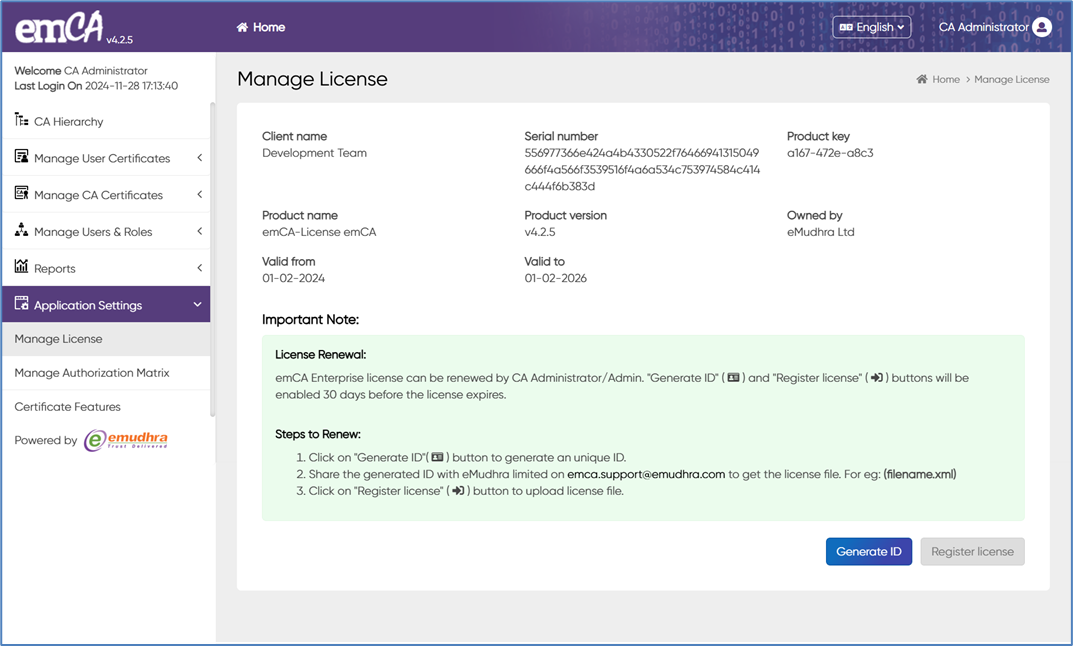
CA Administrator can manage the emCA license using this UI.
CA Administrators can renew their emCA license up to 30 days prior to expiration by generating a new ID, as indicated in the "Important Note" section of the user interface.
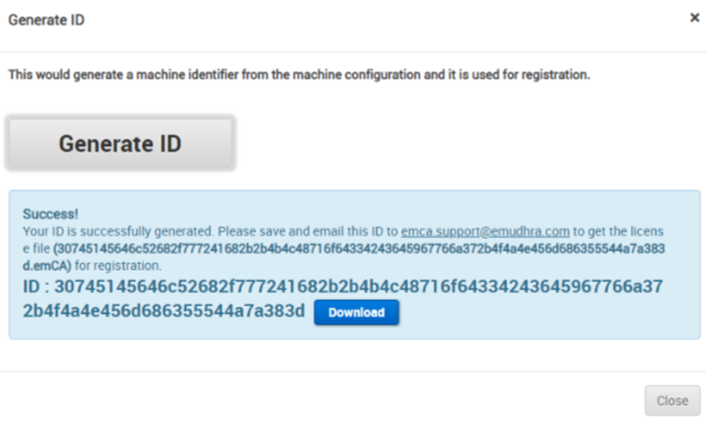
In the upcoming pages, you will find detailed instructions on how to renew your emCA license. Clicking on the "Generate ID" button will trigger a dialog box.
To store the generated ID on your device, simply click the "Download" button.
Please send the ID file that has been generated to the email address .
After receiving the new emCA license file, click "Choose file" and select the license.
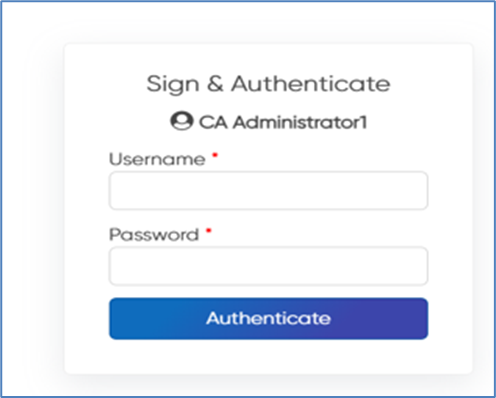
To complete the registration process, upload your license and click 'Register'. This will prompt the screen below.
Enter the CA administrator's email and token PIN to sign and authenticate. Once authenticated, click "Register" to renew emCA.
By following the steps mentioned above, you can easily renew your emCA.